Test Your Application
Let's see how a participant of your simulation will use the app.
At the top of any Interface Builder page, click Project Home Page. The Project Home opens.
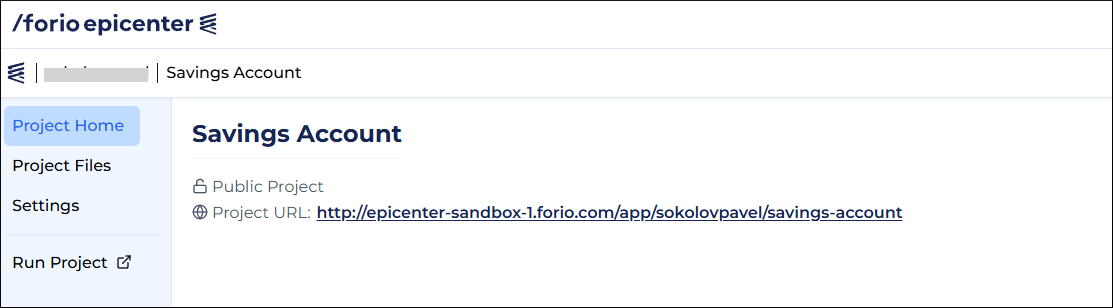
Run the project as an outside user
Important
To ensure that outside users can play the simulation, make your project public.
- Copy the project URL.
- Open the project URL in another browser window where you are not logged into Epicenter.
Run a private project
If you have created a private project, only you can run it.
There are two ways to run the application from your Project Home page:
- Click the project URL.
- In the menu on the left, click Run Project.
Make your project public
To make your application accessible to anyone online:
- Open your personal project in Epicenter.
- On the left, click Settings.
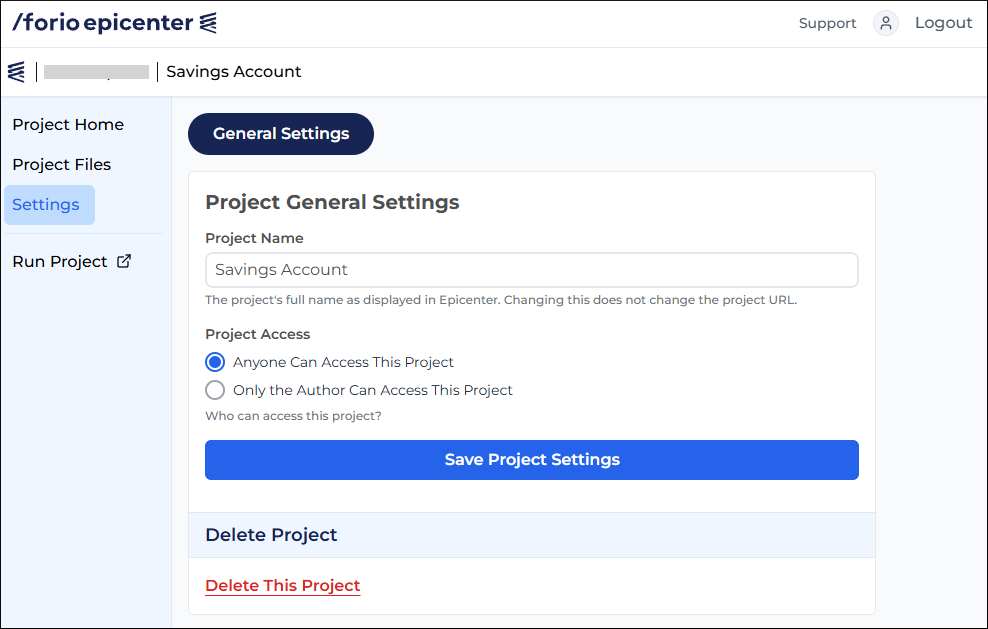
- Under Project Access, select Anyone Can Access This Project.
- Click Save Project Settings.