Create Interface Files
The Interface Builder creates page templates for your application UI. You will edit them to enable the simulation participants to interact with your model.
Open the Interface Builder
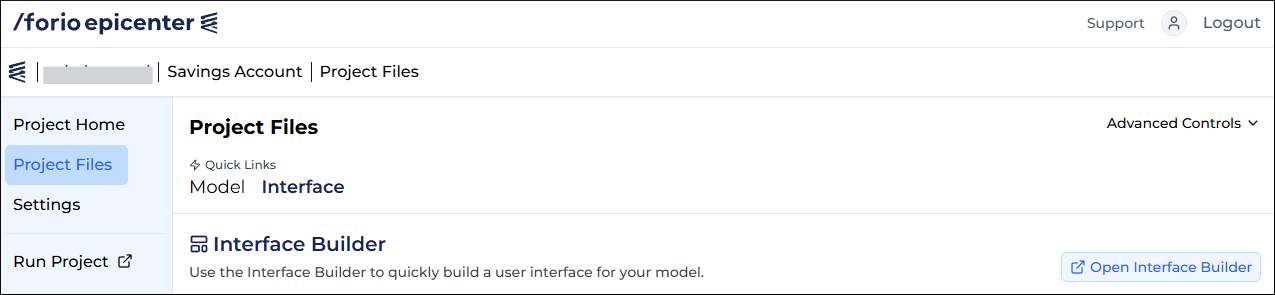
- On the Project Files page, under Quick Links, click Interface.
- On the right, click Open Interface Builder.
- When prompted to select a project type, click Start building a Turn By Turn project.
Project types
In the Interface Builder, you can choose between the following project types:
- Turn-by-turn project: The game moves forward at regular intervals. Steps take the model from one interval to the next. Users make decisions between steps.
- Multiplayer: Similar to turn-by-turn, but designed to be played by multiple participants simultaneously. Involves a consensus algorithm that determines when to make the next step. For example, each player must indicate that they are ready for the next step after making their decisions. Once everyone is ready, the model steps.
- Run comparison: A what-if scenario. The participants make decisions and start a run. The model runs from beginning to end. Then the participants make new decisions and run again.
- Calculator: Uses a simple model that takes inputs, performs calculations, and provides outputs.
For a Turn-by-turn, Multiplayer, or Run comparison project, you must create your model using a time based modeling tool, such as Excel, Vensim, SimLang, Powersim, or Stella.
Edit header and footer
To edit the header and footer for all pages:
- In the navigation panel on the left, click Header/Footer Settings.
- Edit the header and footer settings.
- Click Close.
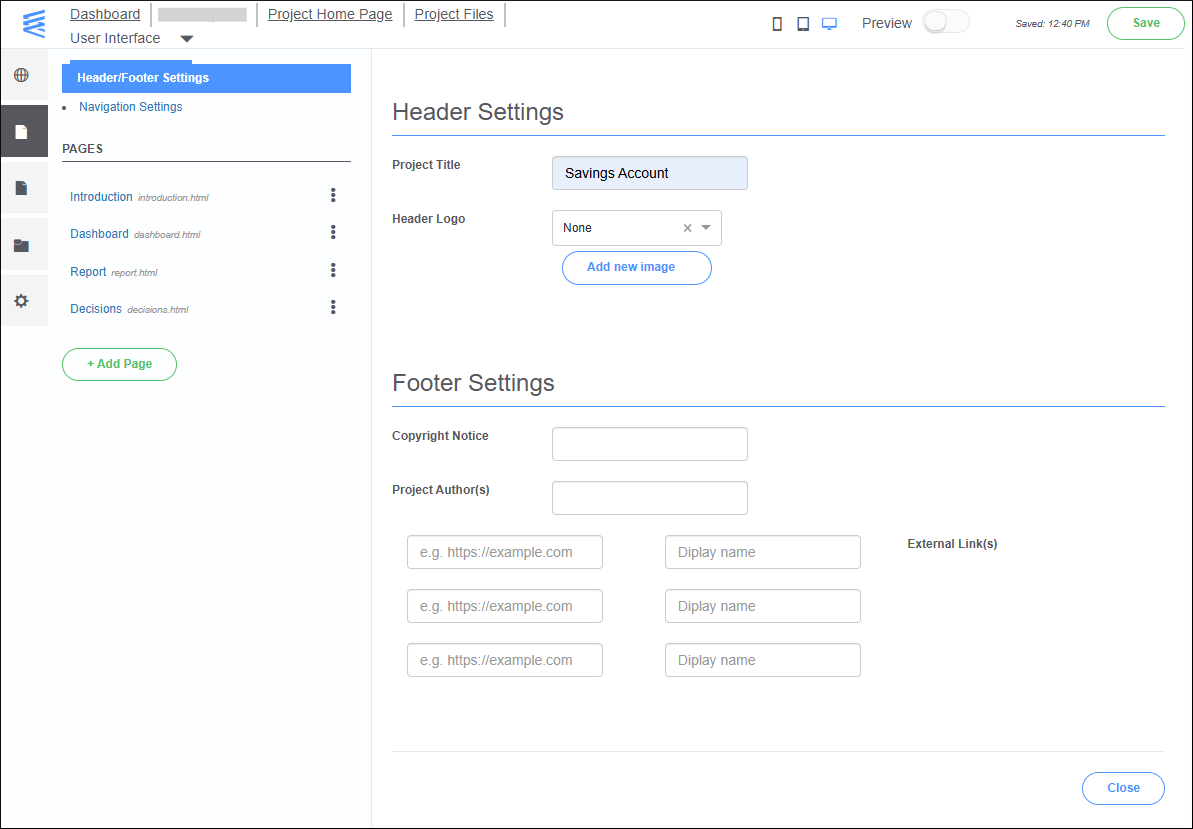
For this tutorial, we enter "Savings Account" in the Project Title field. The users of the application will see this title on all the pages.
Edit the page collection
We will remove one of the page templates that our application won't need.
- In the navigation panel on the left, click Navigation Settings.
- To the right of the Report navigation item, click the trash icon.
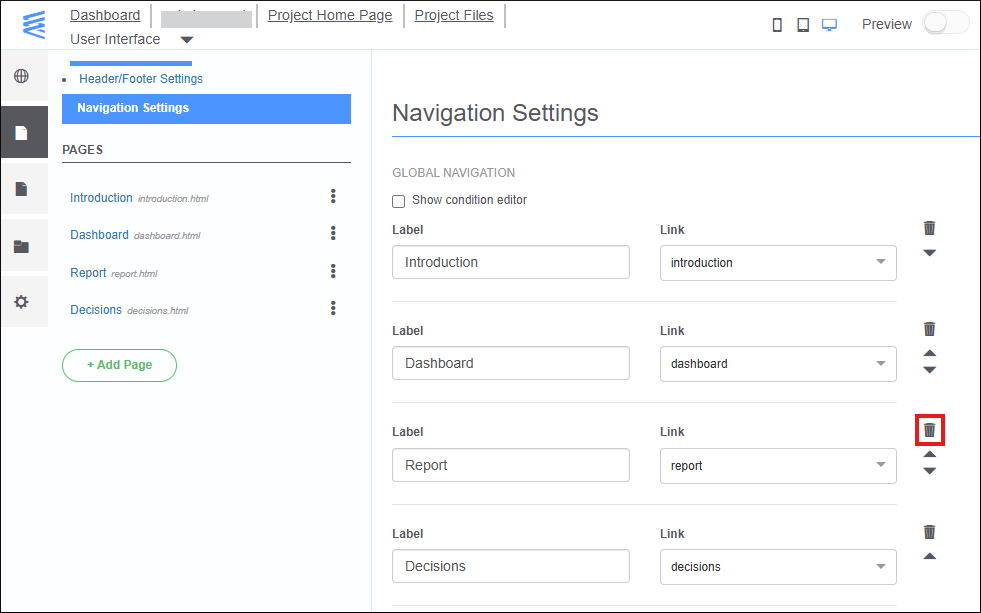
After you have finished editing the project settings, click Close in the bottom-right corner of the page.