Manage your personal projects
As an admin, you not only get access to your organization, but also a personal account where you can learn and practice creating Epicenter apps.
A personal project is one you create in your personal account. Only you can work on your personal projects, but you can make them public to enable users to access them on the web.
Important
An application created in a personal project can either be private or public. It cannot require authentication. To require users to authenticate, create team projects.
Access your personal projects
To manage your personal projects:
- Click your avatar in the top-right.
- Click Personal Projects Home on the left.

Create a personal project
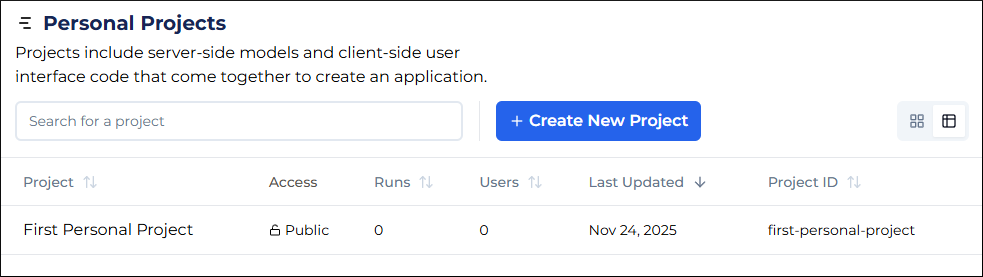
- Go to the Personal Projects page.
- Click + Create New Project.
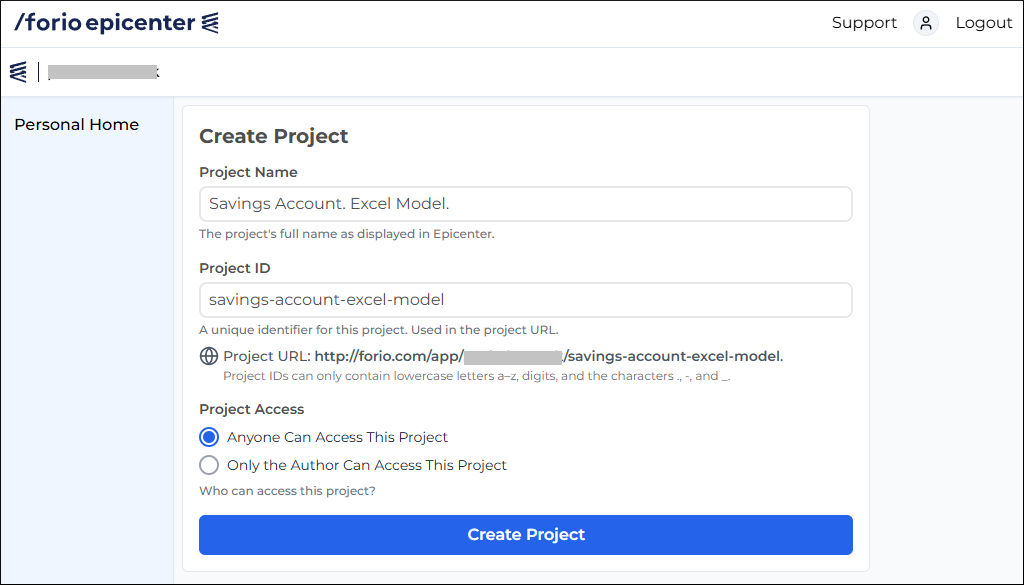
- Enter the name for the project.
- Optionally, edit the Project ID.
- Select the project access level.
- Click Create Project.
What's next?
After you have created a project, upload your model and interface files.